How To Secure Your SMTP Service & Prevent
Email Spoofing
Effective email communication plays a vital role in business activities, yet it remains highly vulnerable to cyber attacks. At the core of email communication lies SMTP (Simple Mail Transfer Protocol), and safeguarding this protocol is critical to thwarting email spoofing, phishing schemes, and unauthorized email forwarding. This guide will delve into optimal strategies for securing your SMTP service and effectively combating email spoofing. For additional details, visit here.
Understanding SMTP Vulnerabilities
The Simple Mail Transfer Protocol (SMTP) has several security weaknesses, largely because of its open design.
- Email Spoofing: Cybercriminals manipulate the sender's address to make it look like the email is coming from a legitimate entity.
- Open Relays: If an SMTP server is not configured correctly, it may permit unauthorized individuals to send emails, which can result in spam being sent out.
- Absence of Encryption: Emails that are not encrypted can be intercepted and accessed by malicious individuals.
- Brute Force Attacks: Hackers may try to guess the SMTP login credentials in order to gain unauthorized access.
Best Practices for Securing SMTP
1. Implement SMTP Authentication (SMTP AUTH)
SMTP AUTH guarantees that only permitted users are allowed to send emails via the server.
- Login Authentication (PLAIN, LOGIN): This method necessitates a username along with a password.
- OAuth Authentication: This approach offers enhanced security through a token-based authentication.
- IP-based Authentication: This method limits access to designated IP addresses.
2. Enable SPF, DKIM, and DMARC Records
To safeguard against email spoofing, consider utilizing these DNS-based authentication methods for your emails:
- SPF (Sender Policy Framework): Establishes which mail servers are authorized to send messages for your domain.
- DKIM (DomainKeys Identified Mail): Employs cryptographic signatures to confirm the legitimacy of the email sender.
- DMARC (Domain-based Message Authentication, Reporting & Conformance): Reinforces the policies set by SPF and DKIM while also generating reports on any unauthorized email actions.
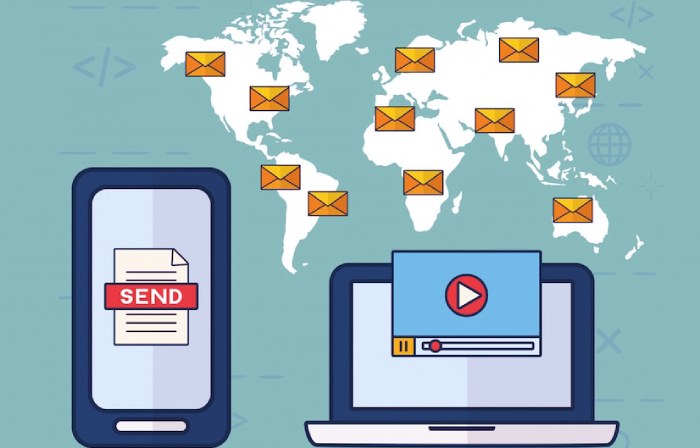
3. Use Secure Connections (TLS/SSL)
Securing SMTP communication helps to stop hackers from intercepting emails.
STARTTLS enhances a non-secure connection by converting it into a secure one through TLS, whereas SMTPS (SMTP Secure) employs SSL/TLS encryption on port 465 to guarantee safe email delivery.
4. Restrict Open Relay Configurations
An open relay permits anyone to use your SMTP server for sending emails, which can result in spam and misuse.
To safeguard your server, implement SMTP authentication to restrict email sending to verified users, limit relay access to approved IP addresses to deter unauthorized activity, and routinely check and review relay logs to identify and address possible security risks.
5. Enable Rate Limiting and Connection Restrictions
Restrict the volume of emails each user can send to deter misuse:
Set a cap on connections from individual IP addresses, implement email sending limits for users, and prohibit an excessive number of failed login attempts to safeguard against brute-force attacks and unauthorized access.
6. Monitor and Log SMTP Activity
Consistent oversight allows for the identification of unusual behaviors prior to any damage occurring.
Activate SMTP logging to monitor email interactions as they happen, employ security information and event management (SIEM) systems for an in-depth analysis of email traffic, and establish notifications to identify irregularities, like sudden increases in outgoing emails, to strengthen security measures and avert possible risks.
7. Implement Firewall and Intrusion Prevention Systems (IPS)
Safeguard your SMTP server against unauthorized entry by implementing the following measures:
- Firewalls: Limit both incoming and outgoing traffic to essential ports (25, 465, 587).
- Intrusion Prevention Systems (IPS): Identify and prevent harmful email-related actions.
8. Use Email Filtering and Anti-Spam Measures
Protect yourself from spam and phishing attacks through the following measures:
- Spam Filters: Utilize reputation-based filtering to intercept dubious emails.
- Content Scanning: Analyze email content for malware, phishing URLs, and dangerous attachments.
- Sender Management: Use blacklists to block certain email addresses and whitelists to permit others.
9. Regularly Update and Patch SMTP Software
Obsolete SMTP software has security flaws that attackers may take advantage of.
To safeguard against these vulnerabilities and possible exploits, make sure your SMTP server software is current by regularly updating to the latest version, promptly installing security patches, and activating automatic updates whenever feasible.
10. Educate Users on Email Security
User awareness plays a vital role in thwarting email-related threats.
Identifying phishing scams is essential for maintaining email safety. Users must exercise caution by refraining from clicking on dubious links or downloading files from unfamiliar senders. Furthermore, any emails that raise suspicion should be quickly reported to the IT security team to help avert potential dangers and reduce risks.